Main Menu

Ninja Rush - Main Menu

Check your Coins and Shuriken at the top right, active Day Passes appear at the top left, and jump straight into the action with the big green "Start" button.

Start a run, visit the Shop, or fine-tune your experience in Options.

Main Menu - Start button

Start Button

Your hub before the run begins.

From the main menu you can jump straight into the game, go Shopping, jump into the Game Options and access everything Ninja Rush has to offer. It’s clean, fast, and designed so you can start playing immediately.

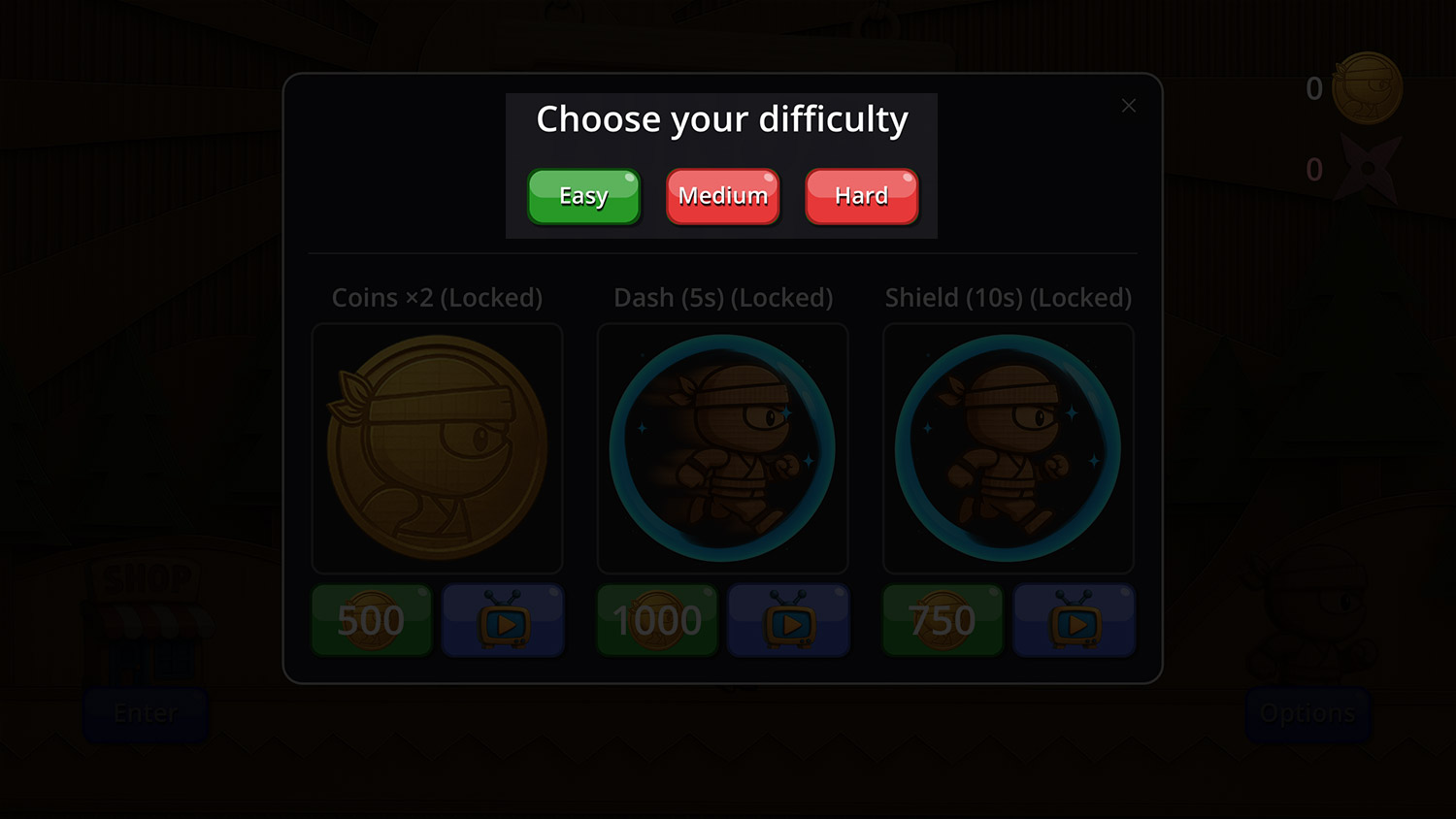
Main Menu - Difficulty Popup

Options

Pressing the "Start" button brings up the "Difficulty" popup, from here you have a choice of three levels of difficulty:

  • Easy
  • Medium
  • Hard

Each difficultly option increases the amount of hazards and enemies that spawn. 

Boosts are explained below.

Main Menu - Difficulty Popup - Boosts

Boosts

There are three boosts:

  • Coins x2 (double the value of coins on the run)
  • Dash (5s) - Gives the player a force field and turbo boost for five seconds (during which nothing can harm the player)
  • Shield - Makes the player invulnerable for 10 seconds (you still need to jump holes)

You can get boosts by using in game coins, watching an ad or obtain unlimited boosts when you buy a pass.

Cheeky Monkey Studios Limited - logo
Privacy Overview

This website uses cookies so that we can provide you with the best user experience possible. Cookie information is stored in your browser and performs functions such as recognising you when you return to our website and helping our team to understand which sections of the website you find most interesting and useful.